IT Services and HelpDesk
+358 800 97750
[email protected]

Microsoft is making a small change to its Authenticator service, which will take effect around 27 February 2023.

When you log in, the application you are trying to log in to (e.g. VDI or MyMail) will display a two-digit code that you must enter into the Authenticator application on your mobile phone ("Number Matching"). The Authenticator also displays information about the application and an approximate map of the location.
This change does not affect those using SMS or verification calls as a means of verification. Traditional password use will still be possible.
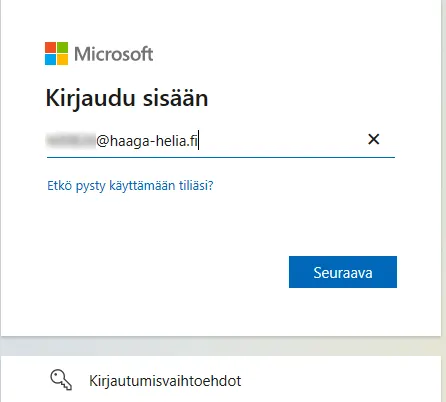
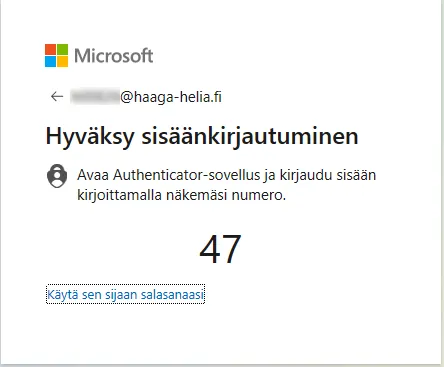
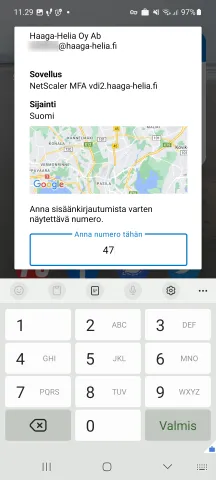
This change will improve security and speed up the login process. After this change, MFA with Authenticator will be more secure and convenient than MFA with SMS or confirmation call.
For more information on Authenticator and MFA login, see for example: